CEDRA Publications
"Wayne County E911, Lyons, New York"
Books and Documentation
Presented below are publications that CEDRA users and non-users can purchase. These publications cover a wide variety of applications and can be used for training as well as reference guides.
Avenue Wraps
Converting Avenue to VB for ArcGIS and Developing with ArcObjects Just Got A Whole Lot Easier
The CEDRA Corporation is pleased to announce the release of
the Second Edition of Avenue WrapsTM.
ISBN 0-9722631-0-1. A new publication comprised of 608 pages,
Avenue Wraps offers detailed information describing the process
of how Avenue code can be converted into Visual Basic® or
Visual Basic for Applications code under the ArcGIS 9.x and 10.x
platforms, as well as, how new ArcGIS applications can be
developed using the Avenue Wraps software. The second edition
of Avenue Wraps contains: (a) 73 new "wraparounds",
(b) support for personal geodatabase manipulation, (c) compatability
with the ArcGIS 9.x and 10.x ArcObjects environment and (d) full access
to all of the Visual Basic code comprising the Avenue Wraps software.
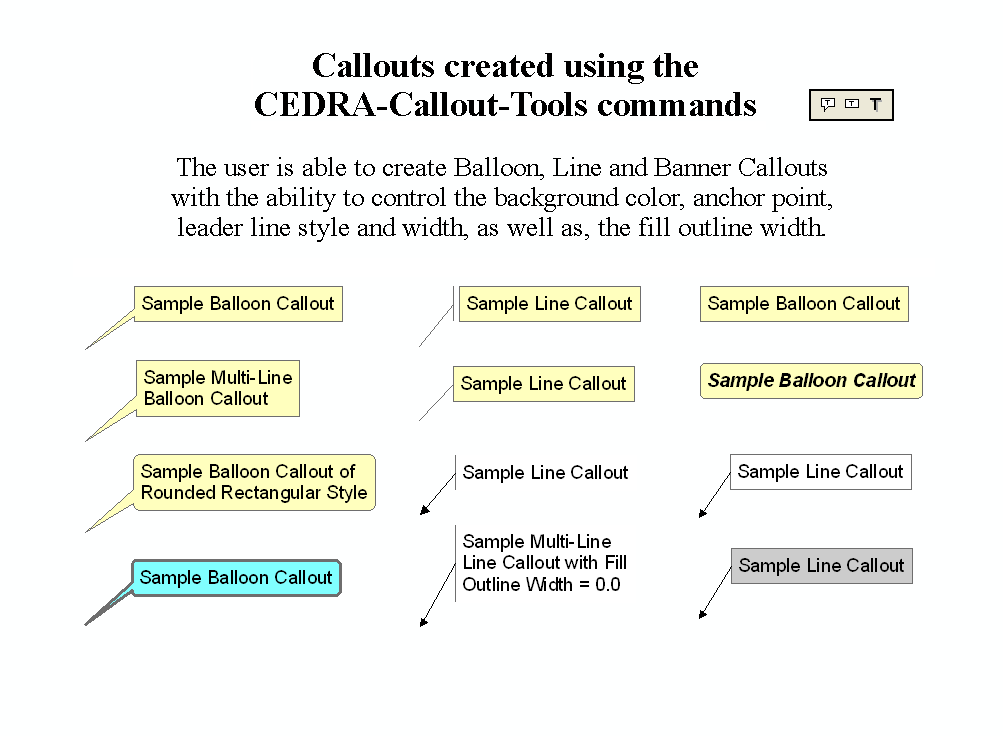
In addition, the Avenue Wraps 2nd Edition CD includes the CEDRA-ArcView3-Tools and the CEDRA-Callout-Tools
toolbars. The CEDRA-ArcView3-Tools toolbar offers a number of
selection tools which "stream-line" the user's interaction
with ArcMap, increasing productivity by at least 30%. The CEDRA-Callout-Tools provides functionality
for the creation of Balloon, Line and Banner callouts. These toolbars
are a free bonus which are included with the Avenue Wraps 2nd
Edition CD.
The Avenue Wraps 2nd Edition book contains a description of the
"wraparounds" for more than 300 of the most popular
Avenue requests. A complete list of the available "wraparounds"
is presented in the Table of Contents listing shown below. Note
that when we use the word "wraparound", what is meant
is that the Avenue request has been converted into Visual Basic
in the form of a subroutine or a function, thereby eliminating
the need for the developer to write the ArcObjectsTM
code to simulate the function of the Avenue request. The developer
simply substitutes the name of the Avenue Wraps "wraparound"
for the Avenue request.
The Avenue Wraps 2nd Edition CD includes the Visual Basic project
file (avwraps.vbp) that builds the Avenue Wraps DLL (avwraps.dll).
The developer is able to modify the project file as desired or
simply extract those portions which are of interest and incorporate
them into his or her own application. The book and CD can be ordered
together or the CD can be ordered separately. Since the reader
has full access to all of the Visual Basic code which comprises
the Avenue Wraps software, a developer can: (a) use the software
as is, (b) modify any or all of the software, or (c extract those
portions which are of interest to the developer.
Those who purchased the Avenue Wraps 1st Edition should note that
the "wraparounds" in that edition will only function
with the ArcGIS 8.x environment. When ArcGIS 9.x was released
a significant amount of work was required to convert the 8.x "wraparounds"
to function in the 9.x environment. Should users of the Avenue
Wraps 1st Edition wish to migrate their applications to the ArcGIS
9.x environment, they may: (a) order the Avenue Wraps 2nd Edition
book and CD, or (b) order the 2nd Edition CD only. Note that it
is possible to substitute the 2nd Edition's version of the avwraps.dll
for the 1st Edition's. Some modifications may need to be performed
after the substitution, although they should be minimal, if any.
The Avenue Wraps 2nd Edition book contains a description of the
new "wraparounds" that were introduced during the migration
to the ArcGIS 9.x environment. Depending upon the application,
users may or may not wish to implement these new "wraparounds".
However, if you wish to operate applications that incorporated
the Avenue Wraps 1st Edition "wraparounds" in the ArcGIS
9.x environment, users will need to convert the "wraparounds"
themselves or incorporate the "wraparounds" in the Avenue
Wraps 2nd Edition CD. Click on this link to read a description
of the issues in converting Avenue Wraps 8.x applications to the
9.x environment.
Using Avenue Wraps there is no searching through the ArcObjects Developer Help, no scratching your head as to how to convert GetFTab into the appropriate ArcObjectsTM Property, or how to get the Legend for a Theme.
CEDRA Avenue Wraps has been there, done that, and is ready for you to use.
Discussing general Avenue to VB/VBA syntax differences, Views, Themes, Tables, Selection Sets, Graphic Elements, Querying, Calculating, File I/O operations, Message Boxes, User-Document interaction, Manipulation of Feature Shapes, Legends, Classifications and Application deployment, CEDRA Avenue Wraps contains numerous samples that will cut your conversion effort by more than 70%. CEDRA Avenue Wraps offers Avenue developers a one-to-one mapping between Avenue requests and AvenueWraps "wraparounds". In addition, to being used to convert existing applications, CEDRA Avenue Wraps can be used to develop new applications using an Avenue programming style. Why learn ArcObjects when CEDRA Avenue Wraps provides the one-to-one mapping between Avenue requests and their ArcObjects counter-parts.
Don't leave your Avenue applications behind, use CEDRA Avenue Wraps and migrate your applications to ArcGISTM.
Originally written as a guide for converting Avenue code into VB or VBA code, Avenue Wraps has grown into a tool Avenue and VB programmers can use to develop ArcObjects based applications. Since a developer can mix ArcObjects and Avenue Wraps code, ArcObjects programmers can use the Avenue Wraps as an easier means of performing various programming tasks. That is, new applications can be developed using Avenue Wraps, rather than just migrating existing Avenue code. Since Avenue Wraps is written using ArcObjects, a developer is free to mix Avenue Wraps procedures and native ArcObjects code.
Not in the mood to retype scripts, ELECTRONIC
MEDIA (CD) is available containing CEDRA Avenue Wraps for both
the ArcGIS 8.x and 9.x environments as a Dynamically Linked Library
(.dll). For either ArcGIS 8.x or 9.x, CEDRA Avenue Wraps is immediately
available for Avenue programmers to begin converting their applications.
Users who are solely interested in the CEDRA-ArcView3-Tools toolbar
should order the CEDRA Avenue Wraps 2nd Edition CD.
Note to existing CEDRA Avenue Wraps users,
to migrate their existing 8.x applications to the 9.x environment,
the developer can simply reference the new CEDRA Avenue Wraps
ArcGIS 9.x .dll and execute the ESRI VB6 Code Converter Add-in.
If you want to see how the Avenue Wraps
procedures can be used, click here Avenue
Wraps Samples for an extensive list of "how to"
samples. These samples contain listings of how to perform typical
Avenue programming operations. If you are looking for detail information,
click here Avenue Wraps Description for
a thorough discussion regarding the contents of the Avenue Wraps
book. The Avenue Wraps Description document follows the sequence
of the Table of Contents in the Avenue Wraps book to give the
reader a behind the scenes look into how the Avenue Wraps were
developed For those interested in what is covered in the installation
instructions click here, Avenue Wraps Installation
Instructions.
Complementing the Avenue Wraps book, The CEDRA Corporation also offers web based training on the use and implementation of the Avenue Wraps procedures. As part of the CEDRA Web Training program, a number of different classes are offered which pertain to the Avenue Wraps book. By clicking on the CEDRA Web Training link you will be able see what courses are offered, how the training program operates and ordering information. Note that the Avenue Wraps class listings and ordering information appear towards the bottom of the web page.
Note, if you would like to download any of the .html or .pdf files which are linked on this page (such as the Avenue Wraps Samples), Microsoft Internet Explorer users can "right-click" on the link and select the Save Target As... command from the "pop-up" menu list. You can then navigate to a location on your local disk followed by clicking the Save button to begin the download process. Once the download is finished, a new dialog box will appear from which you can either open the downloaded file or close the dialog box to continue your internet session.
|

Interested in an article describing the theory behind Avenue
Wraps, click on the following link for "A
wraparound Story". Written by the authors, a .pdf file
is available describing the process in converting Avenue into
VB/VBA along with a brief description on how Avenue Wraps was
designed to operate. Simply fill out the form and return the form to The CEDRA
Corporation by: (a) emailing the form to cedra@cedra.com, attention
Purchasing, (b) faxing the form to 585-924-8614, or (c) mailing
the form to the address shown at the bottom of the form. |
Table of Contents
▼ Chapter 1 Introduction to Avenue Wraps 1-1
▼ Chapter 2 General Conversion Guides and Avenue Wraps 2-1
▼ Chapter 3 Application - Document Avenue Wraps 3-1
▼ Chapter 4 File Input and Output Avenue Wraps 4-1
▼ Chapter 5 Theme and Table Avenue Wraps 5-1
▼ Chapter 6 Feature Selection Avenue Wraps 6-1
▼ Chapter 7 Message and Menu Boxes Avenue Wraps 7-1
▼ Chapter 8 Geometry Avenue Wraps 8-1
▼ Chapter 9 User Document Interaction 9-1
▼ Chapter 10 Graphics and Symbols 10-1
▼ Chapter 11 Classifications and Legends 11-1
▼ Chapter 12 Utility Macros 12-1
▼ Chapter 13 Avenue Wraps Forms 13-1
▼ Chapter 14 Application Deployment Methods 14-1
▼ Appendices
IndexSample Avenue Wraps
Shown below are three Avenue Wraps for the
Avenue requests GetActiveDoc, GetActiveThemes and GetBaseName, respectively. These samples illustrate the
format in which the Avenue Wraps are presented in the book. For a more complete list of
samples click on this link.
Option Explicit
'
' * * * * * * * * * * * * * * * * * * * * * * * * * * * * * *
* * * * *
' *
*
' * Name: avGetActiveDoc File Name: avgtadoc.bas
*
' *
*
' * * * * * * * * * * * * * * * * * * * * * * * * * * * * * *
* * * * *
' *
*
' * PURPOSE: GET THE CURRENT DOCUMENT OR FOCUS MAP *
' *
*
' * GIVEN: nothing
*
' *
*
' * RETURN: pMxApp = the application
*
' * pmxDoc
= the document
*
' * pActiveView
= the active view
*
' * pMap
= the focus map
*
' *
*
' * Dim pMxApp As IMxApplication
*
' * Dim pmxDoc As IMxDocument
*
' * Dim pActiveView As IActiveView
*
' * Dim pMap As IMap
*
' *
*
' * * * * * * * * * * * * * * * * * * * * * * * * * * * * * *
* * * * *
Public Sub avGetActiveDoc(pMxApp
As esriCore.IMxApplication, _
pmxDoc As esriCore.IMxDocument,
_
pActiveView As esriCore.IActiveView,
_
pMap As esriCore.IMap)
'
'
' -Get the active view <<<---
Set pMxApp = Application
Set pmxDoc = Application.Document
Set pActiveView = pmxDoc.ActiveView
'
' -Get the active map
Set pMap = pmxDoc.FocusMap
'
End Sub
Option Explicit
'
' * * * * * * * * * * * * * * * * * * * * * * * * * * * * * *
* * * * *
' *
*
' * Name: avGetActiveThemes File Name: avgtathm.bas *
' *
*
' * * * * * * * * * * * * * * * * * * * * * * * * * * * * * *
* * * * *
' *
*
' * PURPOSE: GET A LIST OF THE ACTIVE OR SELECTED THEMES *
' *
*
' * GIVEN: pmxDoc = the active view
*
' *
*
' * RETURN: ThemesList = list of themes
*
' *
*
' * Dim pmxDoc As IMxDocument
*
' * Dim ThemesList As New Collection
*
' *
*
' * * * * * * * * * * * * * * * * * * * * * * * * * * * * * *
* * * * *
'
Public Sub avGetActiveThemes(pmxDoc
As esriCore.IMxDocument, ThemesList)
'
Dim pMap As esriCore.IMap
Dim RecList As New Collection
Dim pSelected As IUnknown
Dim pItems As esriCore.ISet
Dim pUnknown As IUnknown
Dim aName As Variant
Dim aType As Integer
Dim kPos, i As Long
Dim aLName As Variant
'
' -Get the active map
Set pMap = pmxDoc.FocusMap
'
' -Initialize the list of themes
Call CreateList(ThemesList)
'
' -Initialize the list of index values indicating the position
of
' -the theme in the Table of Contents
Call CreateList(RecList)
'
' -Get the selected item, if any
Set pSelected = pmxDoc.SelectedItem
'
' -Check if nothing is selected
If (Not pSelected Is Nothing) Then
'
' -Check if more than one item selected
If TypeOf pSelected Is esriCore.ISet Then
Set pItems = pSelected
pItems.Reset
'
' -Get the first selected layer
Set pUnknown = pItems.Next
'
' -Loop until we have run out of selected layers
Do While Not pUnknown Is Nothing
'
' -Find out what we are working with
Call avGetLayerType(pUnknown, aName, aType)
'
' -Check if we have something we can work with
If (aType > 0) Then
' -Store the name of the layer
ThemesList.Add (aName)
' -Initialize the index reflecting the layers
' -position in the TOC
kPos = 999999
' -Find its position in the Table of Contents
For i = 0 To pMap.LayerCount - 1
' -Get the layer name in uppercase characters
aLName = UCase(pMap.Layer(i).name)
' -Check if given name matches the layer name
If (aLName = aName) Then
kPos = i
Exit For
End If
Next
' -Store the index
RecList.Add (kPos)
End If
'
' -Get the next feature found in the selection
Set pUnknown = pItems.Next
Loop
'
' -Sort the lists, if any data exists, to ensure that the
' -theme order corresponds to the order in the TOC
If (RecList.Count > 0) Then
Call SortTwoLists(RecList, ThemesList, "Sorting...",
True)
End If
'
' -Handle case when one item selected
Else
'
' -Find out what we are working with
Call avGetLayerType(pSelected, aName, aType)
'
' -Check if we have something we can work with, if so
' -store the name
If (aType > 0) Then
ThemesList.Add (aName)
End If
End If
End If
'
' -Initialize the global variable
Set ugLayer = Nothing
'
' -Initialize the name of the layer or table
ugLayerStrg = " "
'
End Sub
Option Explicit
'
' * * * * * * * * * * * * * * * * * * * * * * * * * * * * * *
* * * * *
' *
*
' * Name: avGetBaseName File Name: avgbasnm.bas
*
' *
*
' * * * * * * * * * * * * * * * * * * * * * * * * * * * * * *
* * * * *
' *
*
' * PURPOSE: GET THE BASE NAME THAT APPEARS IN A PATH NAME
*
' *
*
' * GIVEN: aPath = the full path name to be processed
*
' *
*
' * RETURN: avGetBaseName = base name appearing in a path name *
' * including
the filename extension, if *
' * one
is present in the base name *
' * given
return
*
' * c:\test\vb\aFile.shp
aFile.shp *
' * c:\test\vb\aFile
aFile *
' * c:\test\vb\
vb
*
' * c:\test\vb
vb
*
' * c:\a
a
*
' * c:\
*
' * aFile.txt
aFile.txt
*
' *
Second from last example (c:\) yields
*
' *
an empty string ("")
*
' *
*
' * Dim aPath As String
*
' * Dim avGetBaseName As String
*
' *
*
' * * * * * * * * * * * * * * * * * * * * * * * * * * * * * *
* * * * *
'
Public Function avGetBaseName(aPath)
As String
'
Dim fs
Dim rootName, anExt As String
'
' -Create a file system object for the shapefile
Set fs = CreateObject("Scripting.FileSystemObject")
'
' -Get the root name of the file being processed
rootName = fs.GetBaseName(aPath)
'
' -Trim any leading and trailing blanks
avGetBaseName = Trim(rootName)
'
' -Get the extension in the base name, if any
anExt = avGetExtension(aPath)
'
' -Add the extension into the base name, if appropriate
If (Len(anExt) > 0) Then
avGetBaseName = avGetBaseName + "." + anExt
End If
'
' -Dereference the object
Set fs = Nothing
'
End Function
Additional CEDRA Publications
CEDRA Publications
are for those that want to get a heads up on the bridging of
engineering and GIS, The CEDRA Corporation provides publications dealing with
CAD: preparation of maps, survey data import, design of various
civil engineering projects, preparation of associated design
drawings, and/or general geometric solutions and graphics - COGO:
solution of geometric problems, and design of roadways, sites
and other land morphologic projects - Parcel maintenance - Water
distribution: modeling and design of water distribution systems
- Sanitary, Storm, Combined sewer modeling and inventory applications.
!!!!! For a limited time only purchase a CEDRA
Publication and get the applicable accompaning demo software
at no additional charge!!!!!
|

|
|
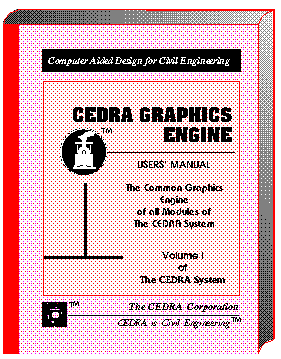
This publication describes the graphic menus common to all modules of The CEDRA System used in the preparation of maps, survey data import, design of various civil engineering projects, preparation of associated design drawings, and/or general geometric solutions and graphics. PARTIAL CONTENTS: ATTRIBUTES: Concepts, Menu Structure, Layers, Line Styles, Point Snapping, Grid Use, Element Visibility, Windowing, Zooming, Input Data Format PRIMITIVES: Types, Points, Lines, Curves, Text Fonts and Justification SPECIAL CONSTRUCTIONS: Intersections, Projections, Tangencies, Mirroring, Parallel/concentric Elements, Contour Manipulation, Shading, Dynamic Rotation OPERATIONS: Repetition, Translation and Rotation, Editing, Deletions and Cut-outs INPUT/OUTPUT: Loading Files, Loading Macros, Filing, ARC/INFO, DXF and IGES Communication .... (620 Pages) |
|
|

|
|
This publication is a supplement to that of the CEDRA Graphics Engine. It describes additional graphics commands used in the drafting of engineering drawings as prepared with The CEDRA System. PARTIAL CONTENTS: SYMBOLS: Built-in Symbols, Special Symbols, Scaling, Dragging and RotatingBOXES: Types and Definition DIMENSIONING: Modes, Projection Line Display, Leaders, Justification, Radial and Angular Dimensions SHADING: Patterns, Orientation, Spacing, Weight Ratio of Shade Region, Select Object to be Shaded APPENDICES: Fonts and Text Sizes, Symbols and Line Styles, Utility Programs, CEDRA Drawing File Structure UTILITY PROGRAMS: Format Conversion, Text Import, Mass Editing, Drawing Sizing and Merging, Drawing Cut-outs, Digitization, Coordinate Table Plotting, ARC/INFO Communication .... (144 Pages) |
|
|

|
|
This publication describes the interactive graphic commands used in the preparation of topographic maps, execution of various surveying applications, solution of geometric problems, and design of roadways, sites and other land morphologic projects with The CEDRA System. PARTIAL CONTENTS: TIN: Define and Manipulate a Mesh, Generate Contours, Merge Meshes, Data Import/Export STAKEOUT SURVEY: Stakeout Data Selection, Stakeout Report DTM Analysis: User Specifications, Cross Section and Profile Stripping, Slope Analysis, Flow Paths GRADING: Template Definition, Profile, Cross Sections and Alignments TRAVERSE: Methods, Adjustment Specifications ALIGNMENTS: Design criteria, Horizontal Alignment Data, Vertical Alignment Data, Cul-de-sacs, Automatic Lot Generation, House Envelopes, Metes & Bounds, Stationing, Earthwork, Design Contours ..... (568 Pages) |
|
|

|
|
This publication presents the hydraulic concepts used in the modeling of sewer and drainage systems, and describes the model preparation and graphic user interface with The CEDRA System. PARTIAL CONTENTS: OVERVIEW: Concepts, Geometric Model, Special Model Features, Load Model, Capacity Analysis, Hydrograph Development, Backwater, Model Verification MODEL PREPARATION: Processing Modes, Base Map, Model Preparation, Command Structure THE COMMANDS: Control Parameters, Conduit Built-in- and Custom Shapes, Geometric Model, Parallel Pipes, Diversions, Siphons, Force Mains, Head Losses, IDF Curves and Peaking Factors, Storm and Waste Water Load Model, Capacity Analysis, Flow Hydrograph, Backwater, Flow Metering REPORTS: Capacity, Inadequate Pipes, Hydrographs, Backwater, Graphics and Profiles..... (682 Pages) |
|
|

|
|
This publication descibes the graphic interface of The CEDRA System with the U.S. Environmental Protection Agency's EPANETTM Version 1 and Version 2 modelers for the modeling and design of water distribution systems. PARTIAL CONTENTS: GEOMETRY: Units, Service Area, Network, Nodes, Pipes, Read/Create ASCII Geometry Data Files LOADINGS: Defining the Supply Source, Defining the Demand Loads MODELING: Simulation Types, Directives to the Analysis Program, Display of Analysis Results, Alternative Analyses,ATTRIBUTES & QUANTITIES: Create Layers, Set Annotation Attributes THE HYDRAULIC SOLUTION: Pressure and Flow Requirements, Basic Equations DISCUSSION OF EXAMPLES: Steady State Simulations, Extended Period Simulations SPECIAL CONSIDERATIONS: Closing Pipes, Pressure Regulating Valves, Pumps, Parallel Pipes..... (332 Pages) |
|
|

|
|
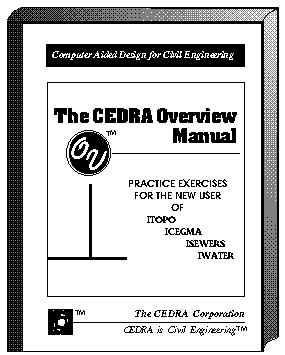
This publication is packed with step-by-step instructions to the most frequently asked questions like Data Collector Input, Geometrics, Roadway, Drainage, Sewer and Water Design, Drawing Assembly and Management, DXF Communication, Plotting and many others. PARTIAL CONTENTS: THE CEDRA SYSTEM: Design Philosophy, File Organization, Survey Data Import, Graphics BASIC INTERACTIVE GRAPHICS: User-Interface, Main Menu Overview FILE MANAGEMENT: Directories and Sub-Directories, Drawing Files, Input, Data and Command Files SAMPLE PROBLEMS: Digitization, Traverse Adjustment, TIN Generation, Contour Generation, Boundary Generation, Profile and Cross-Section Extraction, Horizontal Alignments, Vertical Alignments, Stakeout Data, GIS Communication, Profile & Cross Section Plotting, Grading, Earthwork, Slope Analysis....... (716 Pages) |
|
|

|
|
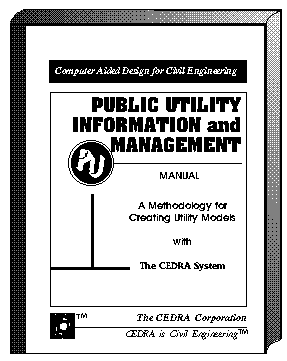
This publication presents a methodology for creating inter-related models of various utilities with The CEDRA System using step-by step instructions. PARTIAL CONTENTS: BASE DATA: Attributes, Source of Information, Base Map THE UTILITY SYSTEM: Digitization, File Import, Alignments, Filing, DBMS and Spreadsheet Communication SANITARY SEWER SYSTEM: System Concepts, Geometric Model, Load Model STORM DRAINAGE SYSTEM: System Concepts, Geometric Model, Load Model SEWER MODELING: Peaking Factors, IDF Curves, Custom Conduit Shapes, Capacity analysis SEWER ASSESSMENT: Infiltration, Flow Hydrographs and Metering, Backwater, Stormwater Detention WATER DISTRIBUTION SYSTEM: Network Model, Supply/Demand ModelSURVEY APPLICATIONS: Traversing, Cross Sections, Profiles, Stakeout, Map Preparation .... (496 Pages) |
|

|

|
|
This publication describes in detail the menus, buttons and tools that help the user in editing ArcView shapefiles and performing general CAD-like drafting. PARTIAL CONTENTS: INTRODUCTION: General Concepts, User Interface, Extended Data, Program Invocation PROJECT DOCUMENT: Re-sizing Windows, Preferences, Changing Working Directories VIEW MENUS: Text Editing Menus, Arrowhead Parameters, Generate Graphic Text from a Table, Import Points, Annotate Menus BUTTONS: Units, Angles, Directions, Point Snapping, Traversing, Layers, File Viewing GEOMETRIC TOOLS: Points, Lines, Curves, TangenciesCONSTRUCTION TOOLS: Offset Elements, Element Editing, Intersection Tools DRAFTING TOOLS: Echo of Distances, Angles and Areas, Dimensioning, Transformation.... (184 Pages) |
|
|

|
|
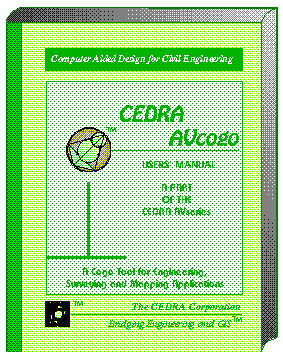
This publication includes that of CEDRA-AVcad, and expands it with additional three dimensional coordinate geometry commands used in engineering, surveying, mapping and related applications. PARTIAL CONTENTS: INTRODUCTION: Concepts, Program Invocation PROJECT DOC: Sizing Windows, PreferencesMENUS: Text Editing, Arrowhead Parameters, Import Points, AnnotateBUTTONS: Units, Angles, Directions, Point Snapping, Traversing, LayersPOINTS: Group #1, Group #2LINES: Group #1, Group #2, Group #3CURVES: Group #1, Group #2, Group #3OFFSET & PROJECTIONS: Offset elements, ProjectionsTANGENCIES: Tangent Lines, Tangent ArcsEDITING: Move, Extend, Divide, CutoutINTERSECTIONS: Group #1, Group #2, Group #3DRAFTING: Echo Distances, Angles and Areas, Dimensioning, Transformation .... (268 Pages) |
|
|

|
|
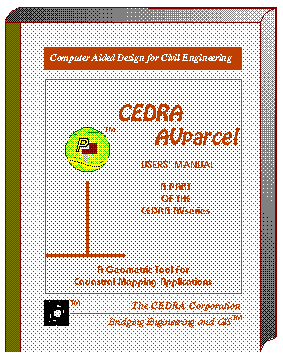
This publication includes that of CEDRA-AVcad, and expands it with additional three dimensional coordinate geometry commands tailored for land parcel (cadastral) mapping and related applications. PARTIAL CONTENTS: INTRODUCTION: General Concepts, Program Invocation PROJECT DOC: Sizing Windows, Preferences MENUS: Text Editing, Arrowhead Parameters, Import Points, Annotate, Parcel Utilities, Plat Drawing BUTTONS: Units, Angles, Directions, Point Snapping, Traversing, Layers GEOMETRIC TOOLS: Points, Lines, Curves, Tangent Arcs CONSTRUCTIONS: Offset Elements, Editing Elements, Intersections DRAFTING: Echo of Distances, Angles and Areas, Dimensioning, Transformation PARCEL TOOLS: Squaring Buildings, Define Parcels, Transcribe Deed, Edit Parcels, Split and Combine Parcels, Delete Parcels .... (232 Pages) |
|

|

|
|
This publication presents the concepts used in the modeling of storm and waste water systems with the SEWERS and SWMM modelers, and describes the model preparation and editing user interface. PARTIAL CONTENTS: INTRODUCTION: Concepts, Geometric Model, Conduits, Special Features, Load Model, Shapefiles, User Interface, Program Invocation PROJECT DOC: Windows, Preferences, Directories VIEW MENUS: Text Editing, Arrowheads, Import Points, Annotate MODELING: Control Data, Xtran Data, Hydrographs, User Shapes, Update Geometry, Execute MODIFY: Control Data, Attributes, Sumps, Output Table, Classification QUERY: Range, Highs, Lows, Nodes, Pipes, Strips, Inadequate Pipes ANNOTATE: Nodes, Pipes, Profile, EPS Graphs BUTTONS: Units, Angles, Directions, Layers, File Viewing TOOLS: Nodes, Pipes, Waste Loads, Storm Loads, Modify Nodes & Pipes, Dimension, Transform..... (378 Pages) |
|

|

|
|
This publication presents the concepts used in the modeling of water distribution systems with the U.S. Environmental Protection Agency's EPANETTM Version 1 and Version 2 modelers, and describes the model preparation and editing user interface. PARTIAL CONTENTS: INTRODUCTION: Concepts, Nodes, Pipes, Networks, Service Areas, Shapefiles, User Interface, Program Invocation PROJECT DOC: Windows, Preferences, Directories VIEW MENUS: Text Editing, Arrowheads, Import Points, Annotate MODELING: Control Data, Resegment, Condition Controls, Water Quality, Update Geometry, Execute MODIFY: Control Data, Attributes, Water Quality, Output Table, Classification QUERY: Range, Highs, Lows, Nodes, Pipes, Reverse Flow, System ANNOTATE: Nodes, Pipes, Profile, EPS Graphs BUTTONS: Units, Angles, Directions, Layers, File Viewing TOOLS: Nodes, Pipes, Load Assignment, Modify Nodes & Pipes, Delete, Break Pipe, Select Strip, Dimension, Transform..... (406 Pages) |